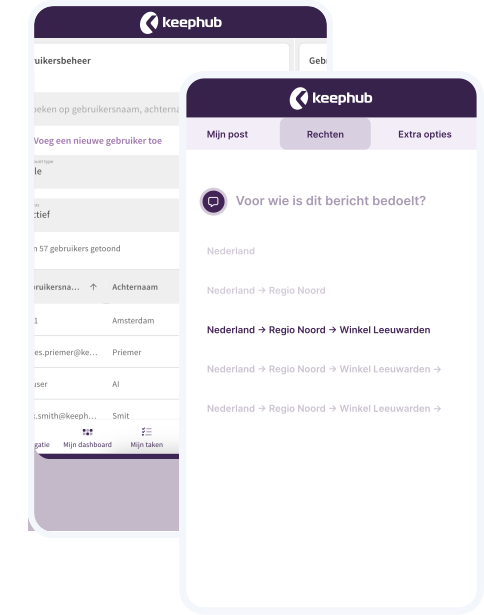
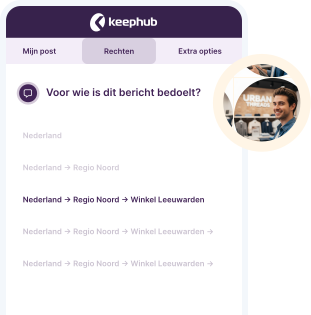
With the flexible roles and permissions structure, you easily manage messages and tasks by country, region, location, or team. This ensures everyone has exactly the right access.
With our permissions structure, you quickly and easily manage who receives which information. It is perfectly tailored to your organizational structure.
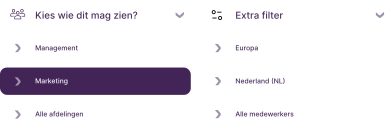
Targeted filters ensure everyone sees only what is relevant, whether you work at head office or as a frontline employee.
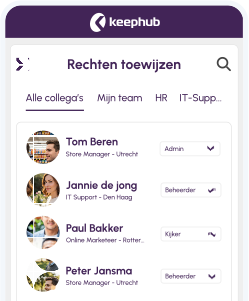
Provide employees with the appropriate permissions, from management to execution. Always clear and secure.
Easily adapt groups and permissions as teams grow, roles change, or new locations are added.

“Keephub provides us with deeper insight into the performance of every store. Our employees are also completely hooked on the Hunkemöller app; it makes their work more enjoyable and inspiring while strengthening the team spirit within our locations.”
Anne Jaake
CHRO


“Keephub provides us with oversight and control over communication, ensuring our employees are always well-informed. Furthermore, the platform helps us improve our operational performance.”
Erwin Calot
Innovation Manager


“It is fantastic that all work-related communication for our employees is now centralized on a single platform. Keephub is where the Swiss Sense Family comes together every day.”
Annika Coomans
Sales Development Manager

The communication structure is built using data from your HR system combined with a location database. This ensures employee records and store information are always up to date.
Keephub allows you to determine exactly who sees what for every module. Thanks to filters based on location, group, or organization-specific criteria, every employee only receives the information that is relevant to them.
Yes. When creating content, you determine exactly who can see the information and, just as importantly, who cannot. This allows you to easily exclude specific locations or groups, ensuring only the intended employees have access to the communication.
Certainly! You can provide stores with extra attributes such as floor space, product range, or store type. This allows you to perfectly align messages and actions with the unique situation of every location.
Choose a moment that suits you best and discover the possibilities of Keephub
Sign up
Offers you an all-in-one tool to work smarter, not harder.
Ensures a consistent way of working in every branch.
Creates a seamless connection between the head office and the work floor.